
Announce
How to message your whole league, or one player privately, from inside The Turn.
Sending a message
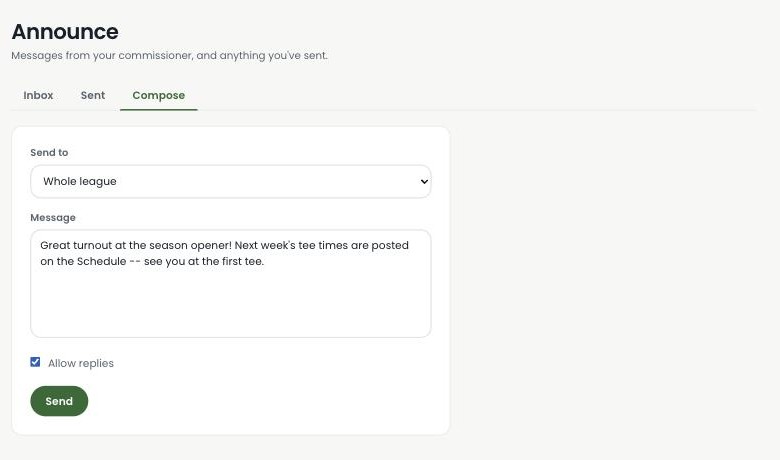
Open Announce in the sidebar and go to Compose. Choose who it's for — the whole league or one specific player — write your message, and decide whether to allow replies. Turning replies on means whoever gets it can write back to you, privately.
What your league sees
Everyone you send to finds it in their own Announce Inbox, along with an unread badge on the nav item so it's easy to spot. A player never sees Sent or Compose — those stay commissioner-only — just their Inbox.
Replies stay private
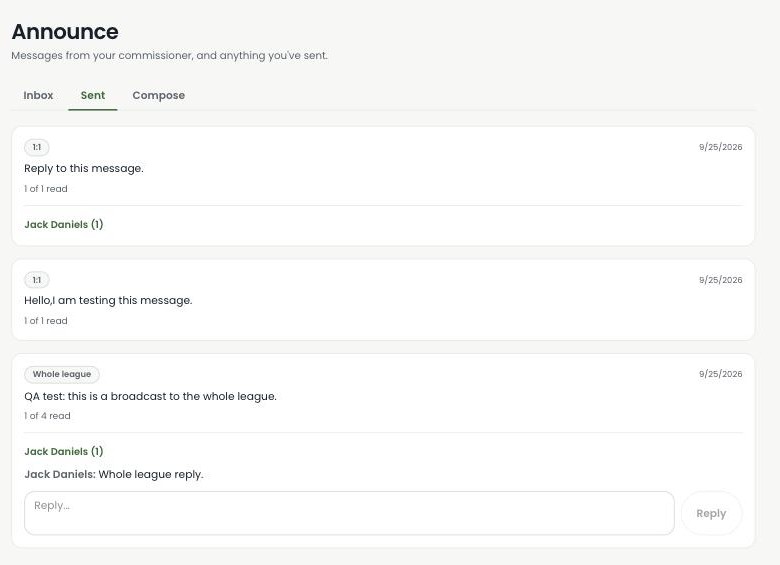
If you allowed replies, each recipient gets their own private thread with you — a player never sees another player's reply, even on the same broadcast. Here, Jack Daniels replied to a whole-league announcement, and that thread only exists between the two of us.
Tracking who's read it
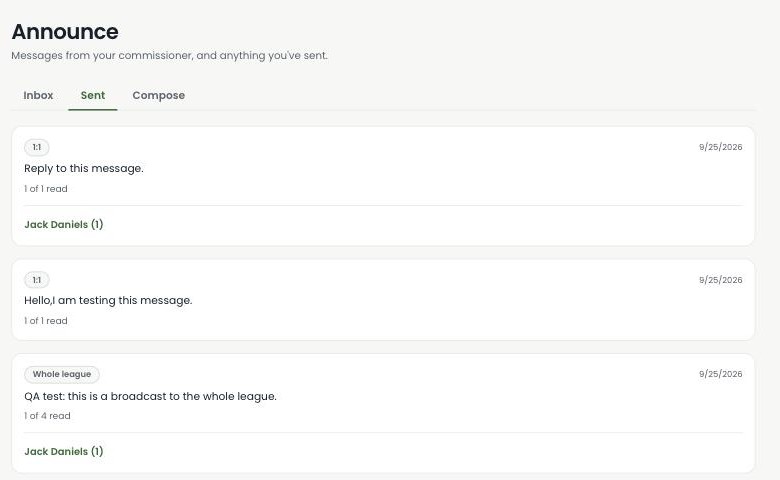
Every message you send shows a running "N of M read" count on the Sent tab, so you always know whether your league actually saw it — no guessing, no follow-up texts.
Only commissioners can send an announcement or start a conversation — a player can only reply to something already sent to them, and only when replies are turned on.
Ready to keep your league in the loop?
Announce is live in the product today — not a roadmap slide.
Start your league →